Top Electronic Gadgets for Maximum Remote Productivity
Transform your home office into a powerhouse of efficiency with these essential smart electronic upgrades for remote workers.
Workspace Ergonomics Expert
Contributor & Technical Writer
Optimizing the Remote Workspace
In this article, we analyze the core concepts of remote productivity to help you build a reliable, high-performance home system. Subsequently, the shift to remote work has proven that a dining room table and a standard laptop are insufficient for long-term productivity and physical health. Consequently, to operate at peak efficiency, remote workers must intentionally design their home offices with specialized electronic gadgets that reduce fatigue, enhance communication, and streamline digital workflows.
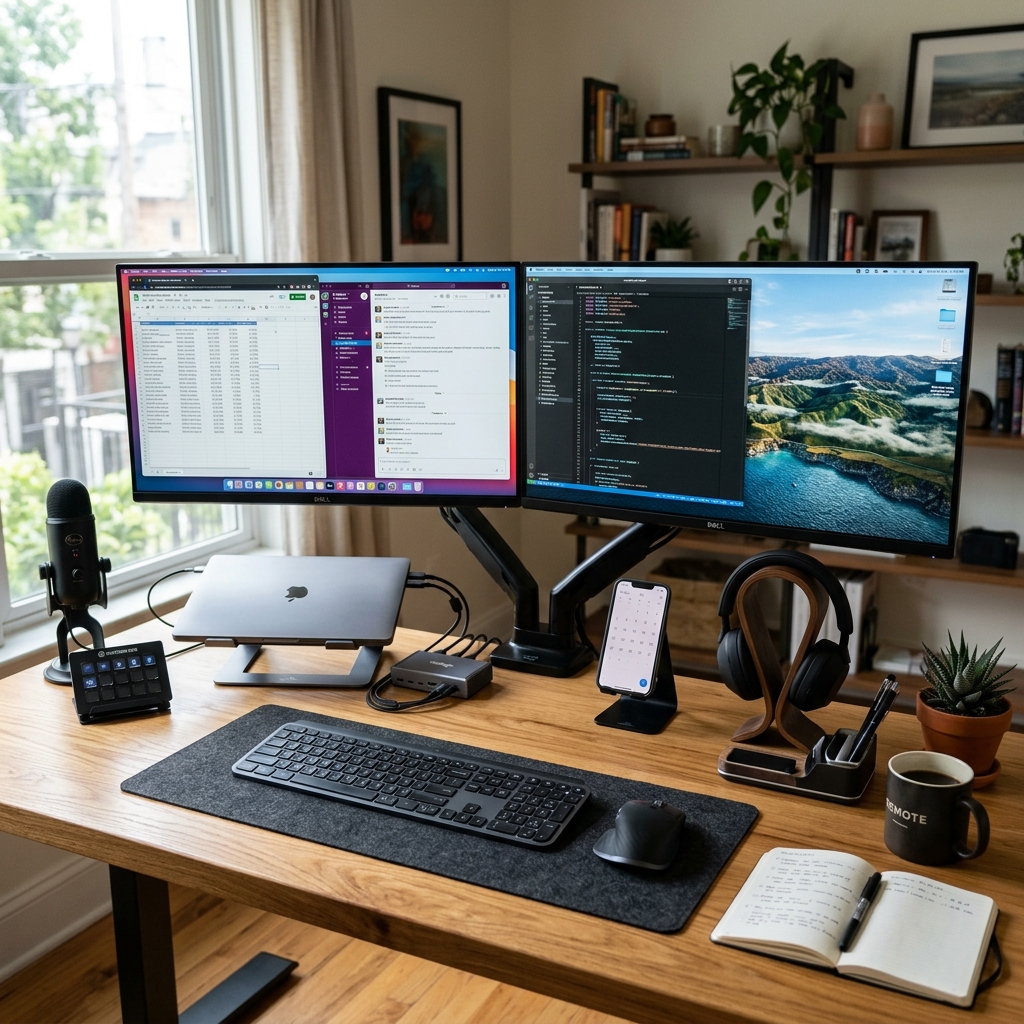
The Foundation: Ultrawide Monitors and Hubs
The single best upgrade for any remote worker is an ultrawide monitor. As a result, replacing dual-screen setups with a single, massive 34-inch or 49-inch curved display eliminates annoying bezels and allows for seamless window management. However, to connect this, a high-quality Thunderbolt 4 docking station is essential. In addition, a dock allows you to connect your monitor, external hard drives, Ethernet cable, and power supply to your laptop using a single cable, creating a clean, clutter-free desk. Meanwhile, a high-refresh-rate IPS panel also reduces eye strain during 10-hour workdays. Consequently, managing remote productivity is critical for achieving optimal speeds.
Professional-Grade Communication Electronics
In the era of endless Zoom calls, poor audio and video quality are unacceptable. Additionally, ditch the grainy built-in laptop webcam for a dedicated 4K external webcam with auto-framing capabilities. Furthermore, audio quality is arguably more important than video. Furthermore, a dedicated USB condenser microphone (like a Blue Yeti or Shure MV7) ensures your voice is broadcasted with radio-broadcaster clarity, eliminating background noise and making you sound significantly more professional in meetings. Specifically, proper acoustic panels and studio monitors also enrich your home listening experience.

Frequently Asked Questions (FAQ)
Q: Why should I choose an Ultrawide monitor over dual monitors?
A: Ultrawide monitors remove the physical bezel down the middle of your view, enabling seamless side-by-side window multitasking and preventing neck strain from constantly turning your head.
Q: What is the benefit of a Thunderbolt 4 dock over a cheap USB-C hub?
A: Thunderbolt 4 offers 40Gbps bandwidth, supporting dual high-resolution displays, fast data transfers, and high-wattage laptop charging simultaneously without overheating or signal dropouts.
Q: Do mechanical keyboards really help with productivity?
A: Yes. Mechanical keyboards use tactile switches that offer precise physical feedback, reducing typing mistakes, improving speed, and decreasing finger fatigue during long coding or writing sessions.
To learn more about related technologies, check out our guide on essential electronic accessories. Therefore, for additional industry resources and guidelines, visit the official New York Times Wirecutter. Consequently, managing remote productivity is critical for achieving optimal speeds.
Conclusion
Investing in your home office setup is an investment in your career. Consequently, by utilizing ultrawide displays, Thunderbolt hubs, and broadcast-quality communication electronics, you minimize technological friction, allowing you to focus entirely on producing your best work from the comfort of your home.
Share this guide