Essential Electronic Accessories for Remote Work Mastery
Over 800 words detailing the exact hardware setup required to achieve maximum ergonomic comfort and peak productivity in a remote environment.
Productivity Consultant
Contributor & Technical Writer
The New Standard of Remote Work in the Home Office
In this article, we analyze the core concepts of remote work to help you build a reliable, high-performance home system. However, working from home has transitioned from a temporary pandemic measure to a permanent lifestyle for millions of professionals. However, a significant portion of the remote workforce continues to operate under severe ergonomic and technological handicaps, hunched over small 13-inch laptop screens at kitchen tables. In addition, to achieve sustainable, long-term productivity without sacrificing physical health, one must invest in a dedicated, highly optimized electronic workspace.
This comprehensive guide details the absolute essential electronic accessories required to transform a makeshift workspace into a professional command center capable of handling complex workflows, high-definition video conferencing, and intense multitasking. Consequently, managing remote work is critical for achieving optimal speeds.
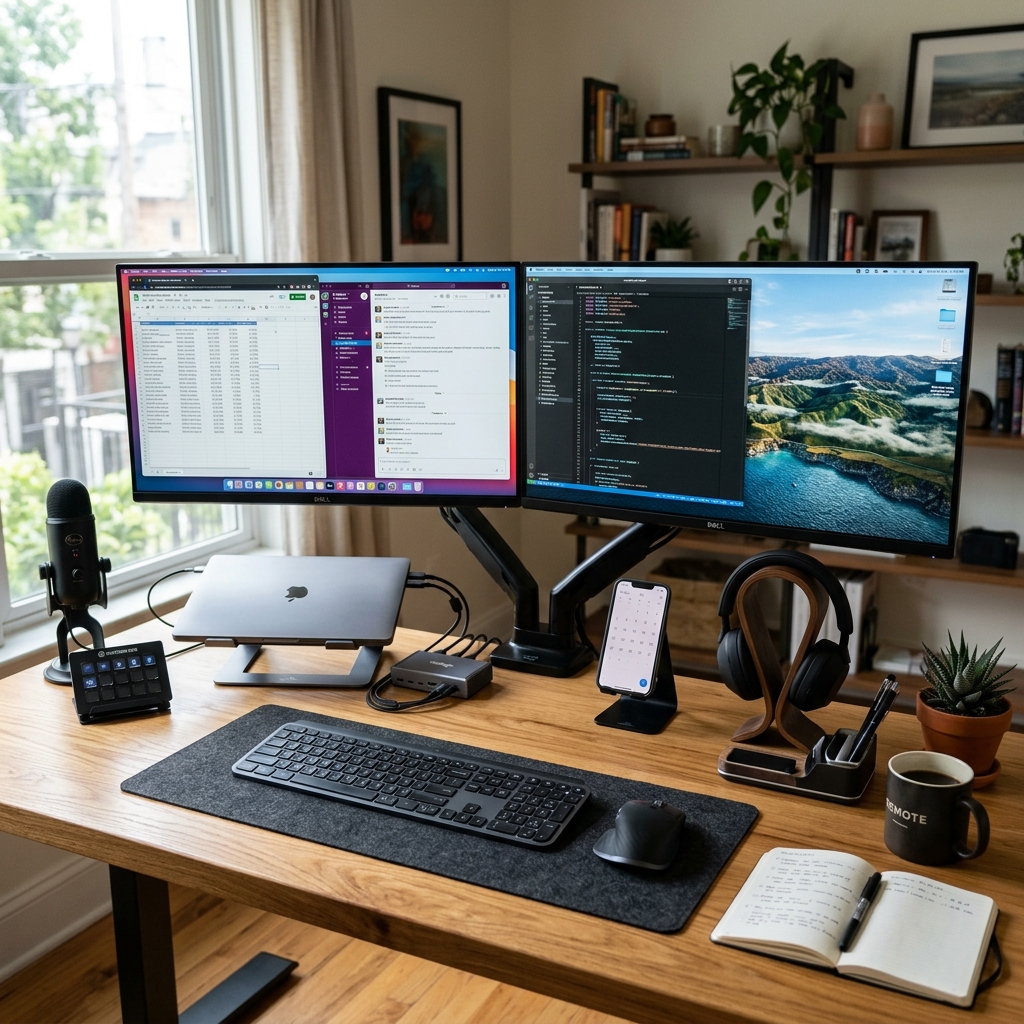
The Visual Canvas: Ultrawide and Dual Monitors
The amount of digital screen real estate you have directly correlates to your multitasking efficiency. As a result, attempting to manage spreadsheets, email clients, communication tools (like Slack or Teams), and web browsers on a single laptop screen creates immense cognitive friction through constant window toggling.
The premier solution is investing in an Ultrawide Monitor (typically 34 inches or 49 inches with a 21:9 or 32:9 aspect ratio). Furthermore, an ultrawide display eliminates the physical bezel gap found in dual-monitor setups, allowing for a seamless visual flow. Specifically, when purchasing a monitor for remote work, prioritize an IPS (In-Plane Switching) panel for accurate color reproduction and wide viewing angles, and ensure it supports a minimum refresh rate of 60Hz (though 120Hz provides a noticeably smoother experience when scrolling through massive documents).
The Nerve Center: Thunderbolt 4 Docking Stations
As laptops become thinner, they sacrifice essential connectivity ports. Therefore, a premium electronic workspace requires a vast array of connections: Ethernet for stable internet, HDMI/DisplayPort for external monitors, multiple USB-A and USB-C ports for peripherals, and power delivery to keep the laptop charged. Additionally, plugging and unplugging six different cables every time you move your laptop is inefficient.
A Thunderbolt 4 Docking Station is the ultimate nerve center. Subsequently, by plugging a single Thunderbolt cable into your laptop, the dock instantly connects your machine to your massive monitors, your hardwired internet network, your professional microphone, your webcam, and provides up to 100W of power to charge the battery. Consequently, it transforms a portable laptop into a powerhouse desktop replacement in one second.

Broadcast-Quality Communication Tools
In a remote environment, your audio and video quality are the primary metrics by which colleagues and clients judge your professionalism. Meanwhile, the built-in webcam and microphone on a laptop are universally terrible, plagued by grainy resolution and echoing audio.
The Audio Upgrade: Invest in a dedicated USB dynamic or condenser microphone (such as the Shure MV7 or Audio-Technica AT2020) mounted on a physical boom arm. In addition, a boom arm allows you to position the microphone mere inches from your mouth, rejecting keyboard clacking and room echo, resulting in a deep, rich, radio-broadcaster vocal presence.
The Video Upgrade: Replace the laptop camera with a dedicated 4K external webcam or a mirrorless camera connected via an HDMI capture card. As a result, pair this with proper LED key lighting (like the Elgato Key Light). However, good lighting is actually more important than the camera itself; a cheap camera with excellent lighting will always outperform an expensive camera in a dark room.
Ergonomic Input Devices
Repetitive Strain Injury (RSI) and Carpal Tunnel Syndrome are the silent enemies of the remote worker. Specifically, replacing flat, un-ergonomic keyboards and trackpads with specialized electronics is vital for physical longevity.
A mechanical keyboard with tactile switches provides satisfying feedback, reducing the force required to type and minimizing finger fatigue. Furthermore, pairing this with a vertical ergonomic mouse forces your wrist into a natural "handshake" position, completely alleviating the unnatural twisting of the forearm caused by traditional flat mice.
To learn more about related technologies, check out our guide on top electronic gadgets for remote productivity. Additionally, for additional industry resources and guidelines, visit the official New York Times Wirecutter. Consequently, managing remote work is critical for achieving optimal speeds.
Conclusion
Building a high-end remote workspace is a direct investment in your professional output and physical health. Consequently, by utilizing ultrawide displays, unifying connections with Thunderbolt docks, upgrading to broadcast-quality communication electronics, and prioritizing ergonomic input devices, you eliminate technological friction. Therefore, this allows you to focus entirely on your work, leading to higher productivity and a significantly more comfortable daily routine.
Share this guide